Blog / AI search guide
How Real Estate Agents Can Get Found on ChatGPT: The 2026 Business Profile Guide
How to claim your ChatGPT business profile, verify it, fill it out the right way and read your Insights, with screenshots and lessons from setting up our own.
Setup tips with Alie Jules, founder of The Skydancer
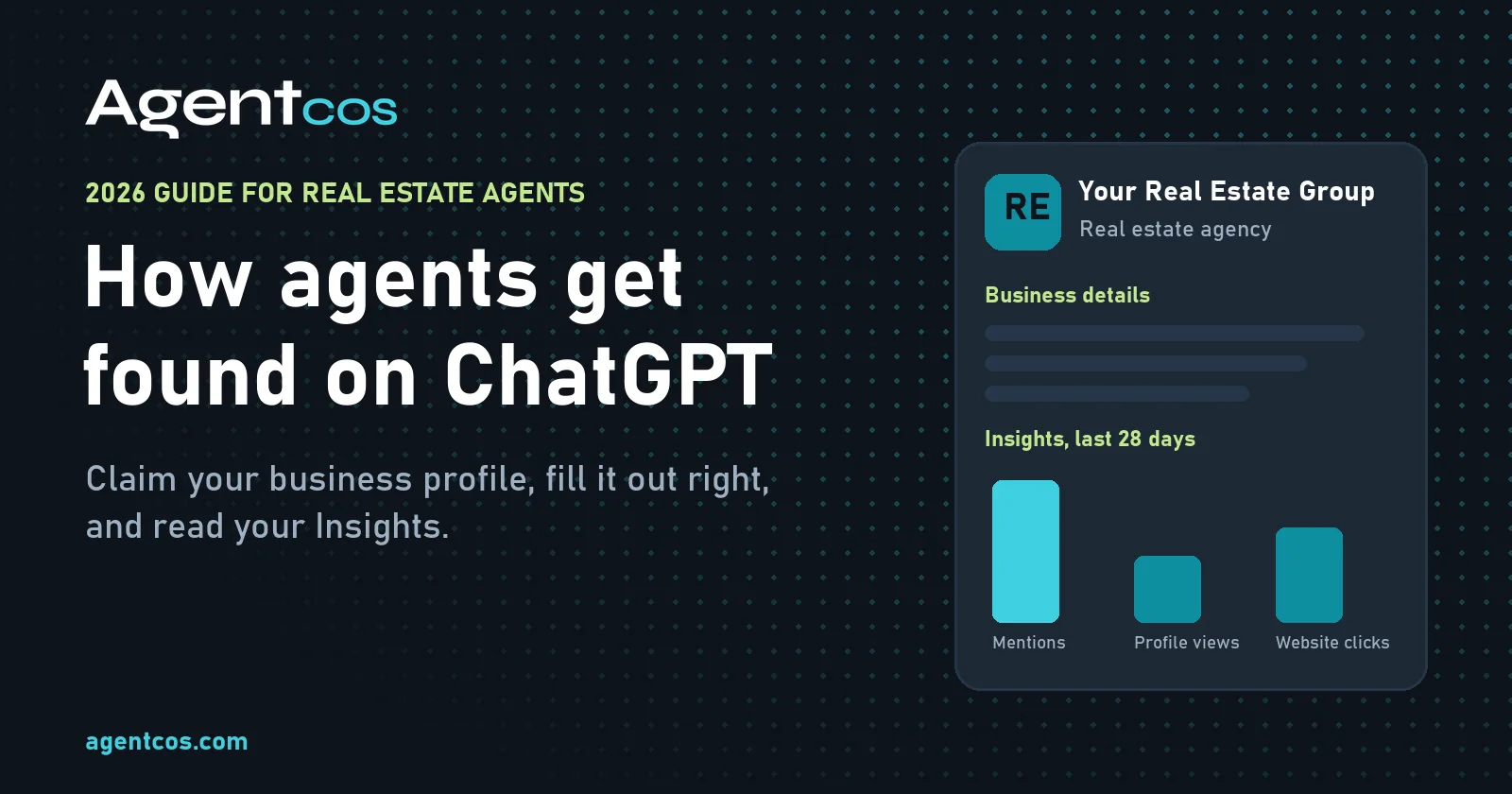
A ChatGPT business profile for real estate agents is now something you can claim. On November 10, 2026, OpenAI launched Businesses in ChatGPT in beta, with a ChatGPT Business Hub where a real estate team or brokerage can claim its listing, verify it, keep its details current and see how often ChatGPT mentions it. Buyers and sellers already ask ChatGPT "who is a good listing agent near me?" This guide shows Realtors how to claim a business on ChatGPT, fill out the profile, read the Insights, and what we learned setting up our own.
In 60 seconds
- It's real and official. OpenAI opened Business Hub in beta on November 10, 2026. You search for your business and claim its existing listing.
- Claim, then verify. Prove the claim by business phone, business email, website domain or Shopify. Persona identity checks unlock editing and Insights, per OpenAI's guide.
- The blue check comes from Persona, not from claiming. It is not an endorsement and doesn't move you up.
- Fill it out like a pro. Pick the right category, write a tight description (ours allowed 300 characters), add hours with a time zone, and pad wide logos before you upload.
- Watch Insights. Mentions, profile views and website clicks for the last 28 days. Our group had 20 mentions on day one.
- Visibility isn't a client. Have your pricing story ready for the appointment it brings.
Rather have an expert do it? The Skydancer sets up ChatGPT and Google Business Profiles and SEO for agents. Request setup →
What ChatGPT Business Hub is (and isn't)
It's a profile manager for your business inside ChatGPT. OpenAI's setup guide says you can claim your business, update its details and view insights such as mentions and website clicks. OpenAI says ChatGPT has 1.2 billion weekly users, so this is a new front door next to Google, Bing and Zillow.
It's not ChatGPT Business. That is OpenAI's paid workspace plan for teams. You don't need it, an Ads account or an Enterprise agreement to claim a business, per OpenAI.
It's not a ranking button. OpenAI says claiming "doesn't guarantee increased visibility," and that advertising doesn't influence ChatGPT's independent answers.
How to claim your real estate business on ChatGPT
These steps follow OpenAI's own Setting up your business on ChatGPT article, checked November 11, 2026. Screens can change during the beta.
- Open Business HubSign in to ChatGPT and open Business Hub from the sidebar, or go to chatgpt.com/business-hub.
- Search your businessSearch by your team or brokerage name, exactly as the public knows it.
- Pick the right listingCheck the name and address, then confirm the ChatGPT account that will manage it.
- Verify the claimChoose a method offered: business phone (text or call), business email, website domain (DNS TXT record) or Shopify.
- Wait for approvalOpenAI emails a decision or asks for more information. Review times vary.
- Verify with PersonaPersona checks your identity and authority. OpenAI requires it to publish changes, view insights or build an agent.
- Fill out and monitorComplete About, Contact, Photos, Location and Hours, then check Insights each month.
Tip
Use the business identity you can prove. For Persona, OpenAI says the business name, address and any registration or tax number must match your official records. Have your state business registration handy.
Watch out
Don't touch DNS unless you know it. Domain verification means adding a TXT record. A wrong edit can break your email or website, so let your web person do it. And never send ID documents through a chat, a social message or a link someone emailed you: only through the verification screens in ChatGPT.
Can't find your business? OpenAI says online businesses may see an option to add one, but local stores and restaurants can currently claim only an existing U.S. listing. If your office isn't there, follow the options Business Hub shows or contact OpenAI Support.
Someone else claimed it? Open the profile, choose the ••• menu, then Dispute ownership, and verify with Persona. Each brand is managed on its own: OpenAI says claiming a main brand doesn't claim its locations, so a team listing and a brokerage listing are separate.
The blue check. OpenAI says claiming alone doesn't add a verified badge; the blue check appears after Persona verification is approved. It shows the identity check is done. It is not an OpenAI endorsement or a ranking boost.
How to fill out your ChatGPT business profile
Category. For a team or brokerage, "Real estate agency" fits. "Real estate agent" is offered too. Pick what's true, not what you hope ranks.
Description. Say who you are, where you work, what you do and how to reach you. Space is tight, so lead with your official name and your main market. Here is a made-up example you can model:
Rivera Home Group helps buyers and sellers across Tampa Bay, FL: Tampa, St. Petersburg, Clearwater and Brandon. Listing and pricing strategy, first-time buyers, relocation, condos and new construction. Licensed since 2012. Call or text (555) 010-0142.
About 250 characters. Rivera Home Group is not a real business; write your own from your real services and areas.Contact, location and hours. Use the same name, phone, website and address as your website, Google Business Profile and Bing Places. Matching facts everywhere make it easier for every search engine to trust them.
Photos. Upload your logo, team photos and your real office. Use only photos you own or have permission to use. We skipped MLS listing photos because they carry MLS watermarks and belong to the listing.
Profile do's
- Use your official business name and real office address
- Name the cities you actually serve
- Match your phone and website to your other listings
- Set hours with the right time zone
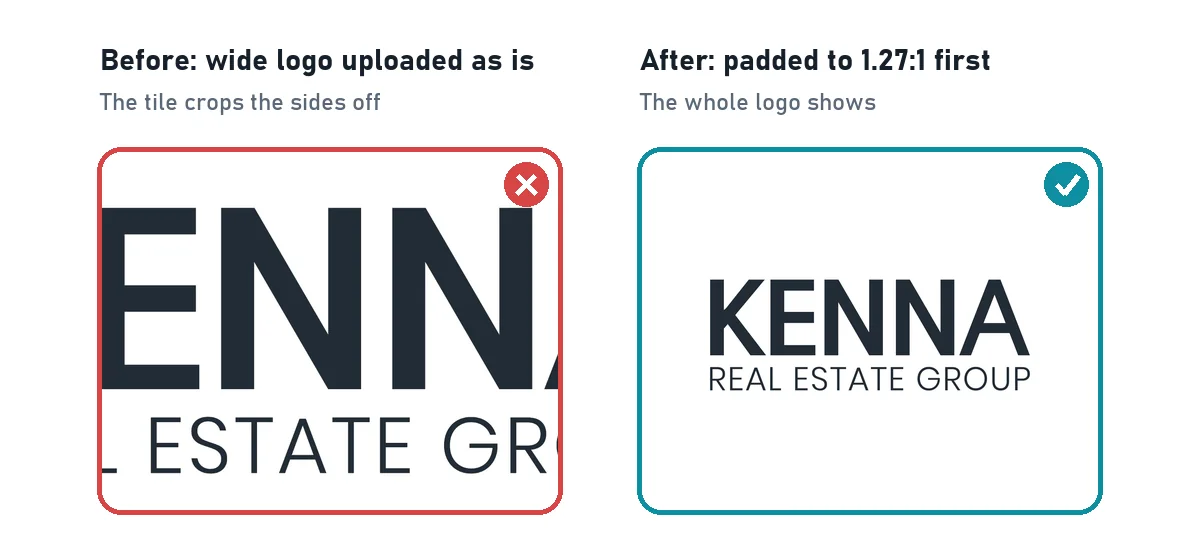
- Pad logos and graphics to the tile shape first
- Check the profile again after every change
Profile don'ts
- Claim another agent's or office's listing
- Make duplicate profiles to chase more cities
- Stuff the description with keywords
- Upload MLS photos or images you don't own
- Say ChatGPT or OpenAI endorses you
- Describe who a neighborhood "is for"
Done-for-you setup
Don't want to do it yourself? The Skydancer will do it for you.
SEO, Google Business Profiles and ChatGPT business profiles, set up by an expert at getting businesses found online. We use The Skydancer ourselves.
What we learned setting up our own profile
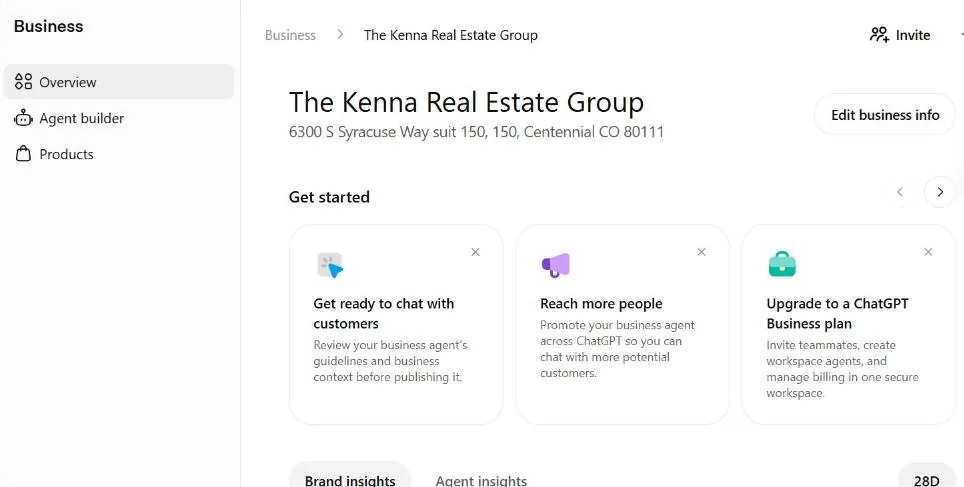
We claimed the profile for our own real estate group, The Kenna Group at Keller Williams DTC in Colorado, on November 11, 2026, one day after launch. AgentCOS is owned by the same broker, Brian Lee Burke, licensed since 2003. Here is what the help pages don't tell you.
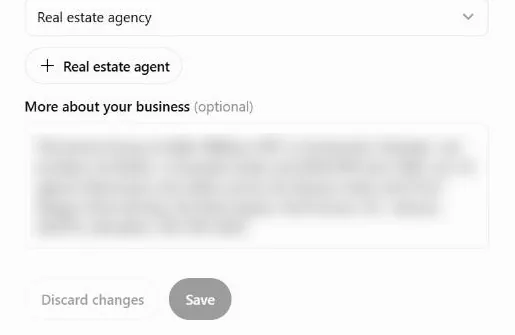
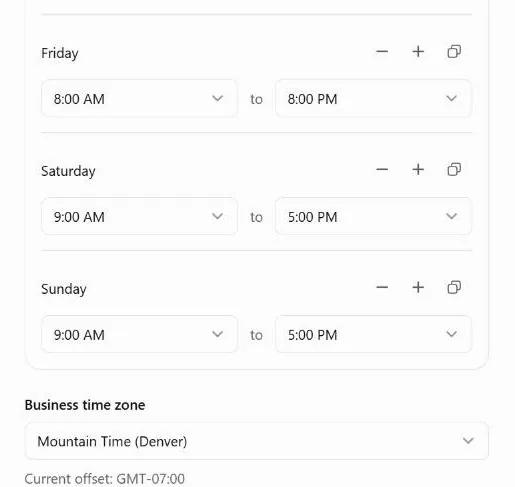
- The description box caps at 300 characters. "More about your business" stopped us at 300. Write it in a notes app first and count.
- Photo tiles crop to a wide box. Tiles show a center crop about 1.27 wide by 1 tall, so logos, book covers and tall graphics get chopped. Pad them with white space to that shape before you upload.
- You can't edit the business name. Ours came in as an old name with an address typo. The editor has no name field, so we used the ••• menu, then Provide feedback, to request the name and address correction.
- The address picker can offer the wrong city. For our Centennial street address it offered Greenwood Village. Don't accept a wrong city just to finish the form.
- Hours won't save without a time zone. Pick it under Business time zone.
- Insights showed numbers right away: 20 ChatGPT mentions in the last 28 days.
- Agent builder said it "isn't available yet" for our business type, which matches OpenAI's launch rules below.
- No verification step or badge showed. Our editor offered no Persona step and no blue check on November 11, yet editing and Insights worked. OpenAI's guide says Persona comes first, so expect this to vary by account during the beta.
Tip
A scary error isn't always a failure. After uploading photos we saw "Couldn't refresh your profile." The photos had saved. Reload the page before you upload again, or you'll end up with duplicates.
Whatever ChatGPT says about you also comes from the rest of the web, so we keep the same facts on our website, our Google profile and our Pad Pages.
Sister company · PadLeaders
Give ChatGPT and Google one verified page about you
PadLeaders builds agents a Pad Page: a verified agent profile on padleaders.com that works as your digital business card, link in bio and one-page website, built for phones and made for Google and AI to read. PadLeaders checks the facts you submit against public sources (license, brokerage, reviews) before it awards the Trust Verified badge, and your page gets a spot in the PadLeaders agent directory.
See a live one: Brian Lee Burke's Pad Page. Right now the Founding 100 offer gives the first year free, then $99 a year if you keep it, with four Pad Leaders per city (as listed on padleaders.com today).
AgentCOS · for agents
Getting found is the start. Win the appointment.
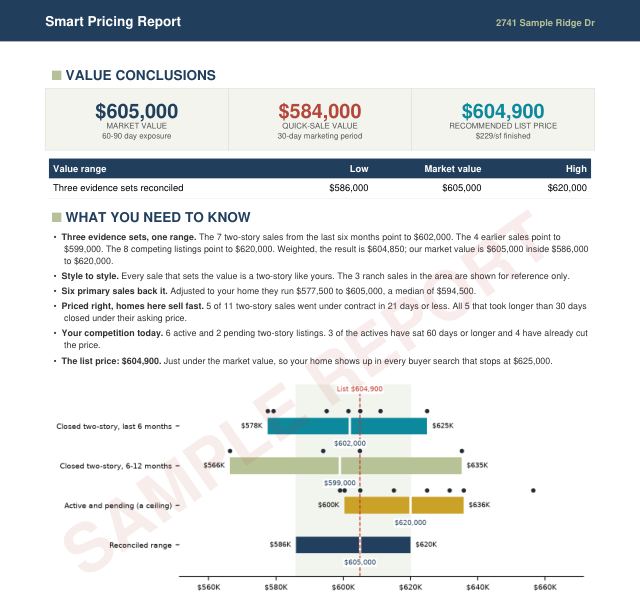
ChatGPT may send a seller your way. Walk in with a branded Smart Pricing Report that shows the value range, the competition and the math.
$29per report, delivered within 1 business day
How to read ChatGPT Insights
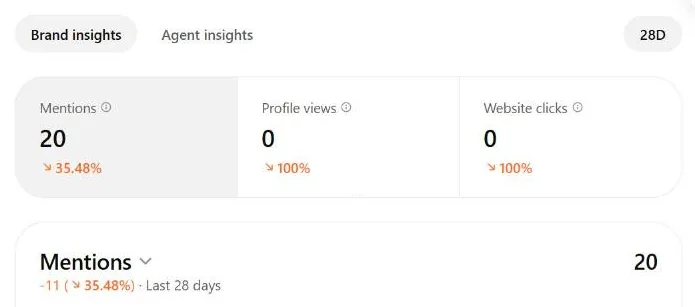
Don't panic on day one
Red arrows on a new profile are normal. We claimed our profile on November 11, 2026, the same day we took this screenshot. The "decreased" numbers compare activity from before we ever touched the profile, and profile views and clicks start at zero until people begin opening the new profile. A new profile can look like it's tanking when it isn't. Give it a few weeks, then compare month to month.
| Metric | What it means (per OpenAI) |
|---|---|
| Mentions | For a local business, a mention counts when ChatGPT shows a result for that location, even if nobody opens the listing or visits your site. |
| Website clicks | How often people click through to your website. |
| Discovery topics | Common themes in answers that mentioned or cited you. Not individual questions. |
| Time window | Aggregate activity over the past 28 days. |
| Blank numbers | Can mean activity is under the reporting threshold or still being collected. Not always zero. |
Our dashboard also showed Profile views, which OpenAI's guide doesn't define yet.
What to do with it. Write the numbers down monthly. If you get mentions but no clicks, make your profile and website give a clear next step. If a discovery topic matches a service, make sure your website answers that topic well. Treat these as clues, not a look inside ChatGPT's ranking.
Can a real estate agent build a ChatGPT Business Agent?
Not yet, for most of us. A Business Agent is a chat that answers customer questions using information the business supplies. At launch, OpenAI offers it to eligible ecommerce and online service businesses in the U.S. with a website. Ours showed "isn't available yet."
If it opens up, test hard before you publish. Check every answer for accurate brokerage and license facts, fair housing, no legal or lending advice, and correct contact steps.
How to get recommended by ChatGPT and other AI search
There is no guaranteed formula. The basics that help Google, Bing and AI answers are the same: clear facts, useful pages and a site crawlers can read.
- Answer real questions. "How much does it cost to sell a house?" beats "We're the best Realtors in town."
- Write real local guides, not 40 near-copies of one city page.
- Keep facts consistent: name, license, brokerage, phone and address everywhere.
- Get into Bing, not just Google. Bing feeds Microsoft Copilot and much of Yahoo and DuckDuckGo search, and AI assistants that browse the web lean on search indexes. Submit your sitemap in Bing Webmaster Tools.
- Use schema and a sitemap, and let search and AI crawlers in.
- Earn honest reviews. Never fake reviews, awards or endorsements.
Need numbers to quote in that content? Our U.S. housing market statistics update daily for every state.
Your 30-day ChatGPT visibility checklist
Print this page or work through it on your phone.
Week 1Claim and verify
- Sign in to Business Hub
- Find the right listing
- Verify the claim
- Complete Persona if offered
- Check your email for decisions
Week 2Complete the profile
- Choose the accurate category
- Write a description under 300 characters
- Add website, phone and address
- Set hours and time zone
- Upload padded logo and real photos
- Request name or address fixes
Week 3Strengthen your website
- Update your agent bio
- Publish one real local guide
- Answer five buyer or seller questions
- Link related pages together
- Check phone layout and sitemap
Week 4Measure and repeat
- Record mentions and clicks
- Review discovery topics
- Compare with your site analytics
- Fix weak or outdated pages
- Set a monthly reminder
Done-for-you setup
Request done-for-you setup
Don't want to do it yourself? The Skydancer will do it for you.
Tell us what you need. Requests come to AgentCOS, and we pass them to The Skydancer, which replies with what's involved and the price for your situation. The Skydancer is an expert at getting businesses found online, and we use it ourselves. Look through everything The Skydancer offers. No price list, no obligation, and no promises about rankings or ChatGPT mentions.
Turn AI visibility into real estate clients
Getting found only starts the conversation. The seller who found you still asks, "What should we list at, and how did you get that number?"
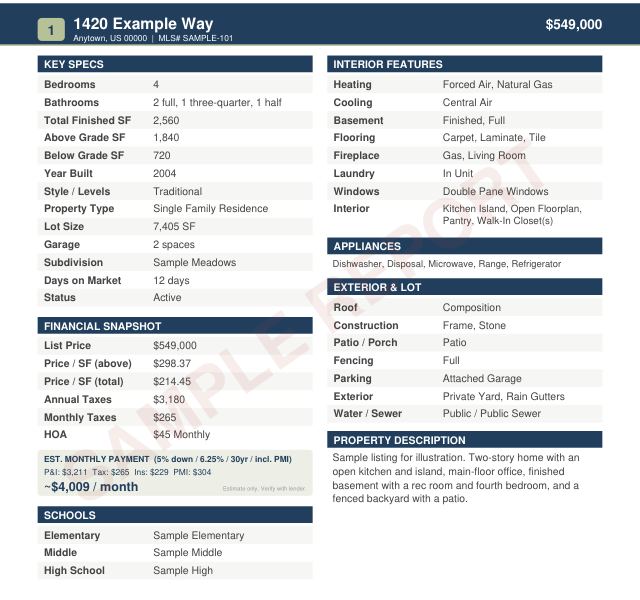
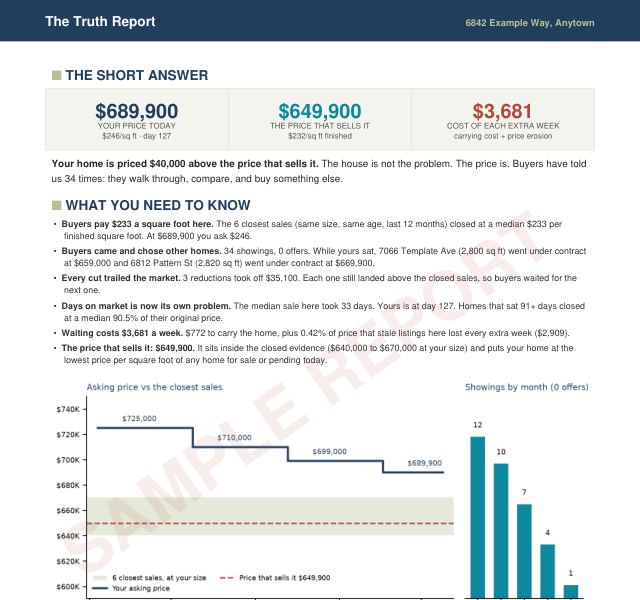
AgentCOS builds 11 client reports with your logo, from two files you export from your MLS, for $29 each, within 1 business day. Start with the Smart Pricing Report for listing appointments, the Seller Net Sheet, the Market Competition Report or The Truth Report for a listing that sat. For buyers, use the Buyer's Advantage Report; for any area, the Area Market Report. Every page is on All Guides.
Official resources
- ChatGPT Business Hub: claim or manage a business
- Setting up your business on ChatGPT: OpenAI Help Center
- Introducing Businesses in ChatGPT: OpenAI, November 10, 2026
- Businesses in ChatGPT policy and Business Agents Policy
Disclaimer and disclosures
Independent guide, not affiliated with OpenAI. This ChatGPT business profile guide for real estate agents, Realtors, brokers and teams is general education from AgentCOS. AgentCOS is not affiliated with, sponsored by or endorsed by OpenAI, ChatGPT, Persona, Google, Microsoft, Zillow or the National Association of REALTORS®. Trademarks belong to their owners. Screenshots are from our own profile.
No guarantee of ChatGPT visibility or leads. Claiming, verifying or optimizing a ChatGPT Business Hub profile does not guarantee a verified badge, AI recommendations, mentions, website traffic, buyer or seller leads, or closed transactions. OpenAI's systems decide ChatGPT's answers. No SEO or AI search tactic can promise rankings in ChatGPT, Google, Bing or anywhere else.
A beta that will change. Businesses in ChatGPT launched in beta on November 10, 2026. Eligibility, verification, profile fields, Insights and Business Agent availability may change. Steps were checked against OpenAI's help article on November 11, 2026; check the official pages before you rely on them.
Example numbers only. The screenshots and Insights numbers on this page were captured the day we claimed our profile and are shown as an example only. Early numbers on a newly claimed profile are not a sign of poor performance.
Ownership and interest. AgentCOS and PadLeaders are owned by Brian Lee Burke, a Colorado real estate broker licensed since 2003, who also leads The Kenna Group at Keller Williams DTC (Keller Williams Realty DTC, LLC; each office independently owned and operated). The case study is his own group, and he has a financial interest when this page recommends AgentCOS reports.
The Skydancer. AgentCOS and Brian Lee Burke are not affiliated with The Skydancer and receive nothing for referrals. Brian is a Skydancer customer. AgentCOS passes setup requests to The Skydancer; its services and pricing are set by The Skydancer, and no one can guarantee search rankings, Google placement or ChatGPT mentions.
Not legal, tax or compliance advice. Agents and brokers are responsible for their license law, brokerage policy, advertising rules, MLS rules, privacy duties and fair housing laws. AI-written descriptions and chat answers must follow fair housing rules too. AgentCOS reports are information, not an appraisal, and cannot be used to obtain financing. Prices and delivery times are as shown on agentcos.com and may change. Equal Housing Opportunity.
Questions
Quick answers
Can real estate agents claim a ChatGPT business profile?
Yes, if you own the business or are authorized to represent it. In Business Hub you search for your team or brokerage, claim the existing listing, verify by business phone, business email, website domain or Shopify, and wait for OpenAI's approval. Local businesses can currently claim only an existing U.S. listing.
Does a ChatGPT business profile cost anything?
OpenAI's setup guide lists no fee to claim a business and says you don't need an Ads account or a ChatGPT Enterprise agreement. ChatGPT Business, the paid team workspace, is a separate product.
How do I get the blue check on my ChatGPT business profile?
OpenAI says the blue verified check appears after your Persona identity verification is approved; claiming alone doesn't add it. On November 11, 2026 our own claimed profile showed no Persona step and no badge, so the flow may vary during the beta.
How long does ChatGPT business verification take?
OpenAI says review times vary. It emails a decision or a request for more information for both the claim and the Persona check.
What if my Persona verification fails?
Follow the emailed instructions and use Try again if it's offered. Make sure the business name, address and any registration or tax number match your official records. Contact OpenAI Support if you can't retry.
Will claiming my business make ChatGPT recommend me more?
No guarantee. OpenAI says claiming lets you manage your information but doesn't guarantee more visibility or control ChatGPT's independent recommendations, and advertising doesn't influence those answers.
Can I see what people asked ChatGPT about my business?
No. Insights show aggregate mentions, website clicks and discovery topics over 28 days. OpenAI doesn't share individual prompts or conversations.
Can I change my business name in ChatGPT Business Hub?
Our editor had no name field. We used the more options menu (three dots), then Provide feedback, to request a name and address correction.
How long can the ChatGPT business description be?
The More about your business box on our profile allowed 300 characters. Lead with your official name, main market, services and phone.
Can a real estate agent build a ChatGPT Business Agent?
Not at launch for most agents. OpenAI offers Business Agents to eligible ecommerce and online service businesses in the U.S. with a website. Our real estate profile showed that the agent builder isn't available yet.
Can my assistant or marketing agency manage the profile?
Yes. OpenAI says the admin who claimed the business can add teammates and grant an agency access in Business Hub, each using their own ChatGPT account.
Is ChatGPT Business Hub the same as Google Business Profile?
No. They are separate services from different companies with their own verification and rules. Keep the same name, address, phone and website on both.
Sources
- OpenAI, “Introducing Businesses in ChatGPT,” November 10, 2026. openai.com
- OpenAI Help Center, “Setting up your business on ChatGPT,” Accessed November 11, 2026. help.openai.com
- OpenAI, “Businesses in ChatGPT policy,” Accessed November 11, 2026. openai.com
- OpenAI, “Business Agents Policy,” Accessed November 11, 2026. openai.com
Checked against the sources above on the dates shown. Business Hub is in beta and may change.